
13%20may.png)
Why Your AI-Generated Website Doesn't Rank on Google
You built it. You launched it. You shared it on LinkedIn and waited. But now it's nothing, there’s no traffic, no new users, no traction, and you’re now figuring out how to submit your website pages to index on Google Search Console and working out Google Analytics when you could’ve been conducting demo calls, right?
If your AI website builder SEO experience ends the moment you hit publish, you're not alone. Most AI-built websites don't rank on Google, and the reason isn't your product or your market. It's the tool you used to build the site. Here's what's actually happening.
AI Builders Were Built to Launch, Not to Rank
Most AI website builders, Bolt, Lovable, Durable, and others, are optimised for one thing: speed of creation. They help you go from zero to launch in under an hour. Useful, yes. But speed of launch and search visibility are two different problems, and almost none of these tools solve the second one.
When Google crawls your site, it isn't just reading your words. It's evaluating:
- The cleanness of your HTML structure
- Whether your H1, H2, and H3 tags are set up correctly
- Whether canonical tags and meta descriptions are present
- Whether your sitemap is submitted and readable
- Whether your page structure signals what your site is actually about
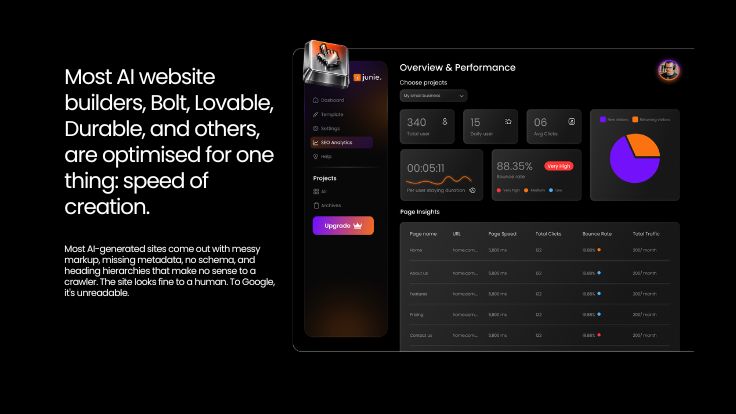
Most AI-generated sites come out with messy markup, missing metadata, no schema, and heading hierarchies that make no sense to a crawler. The site looks fine to a human. To Google, it's unreadable.
Why Your Website Launched But Got No Traffic
This is the most frustrating experience in early-stage startups: a website is launched but no traffic, even weeks after going live. Three reasons this keeps happening.
1. Your site was never crawlable from day one. Google can't rank what it can't read. If your site's technical foundation, canonical tags, clean URLs, sitemap, robots.txt, isn't set up correctly at launch, you're starting from a deficit that bolt-on fixes won't easily undo.
2. SEO gets treated as an afterthought. In most no-code and AI builder workflows, SEO is something you do after the site is live. Publish first, optimise later. But the architecture of the page, its heading structure, URL format, internal linking, is much harder to fix after launch than before.
3. Generic content with no search intent. AI builders help you write copy. But copy written to sound good and copy written to rank are two different things. If your homepage doesn't reflect the words your ICP is actually typing into search, you won't appear for them. No amount of visual polish fixes a no-code website SEO problem at the content level.
What a SEO-Ready Website Builder Actually Does
A SEO ready website builder doesn't just let you add meta tags. It builds every page with the right structure from the start.
That means:
- Clean semantic HTML so Google understands your content hierarchy
- Correct H1/H2/H3 structure on every page, not just the homepage
- Auto-generated schema markup so Google knows what kind of business you are
- Canonical tags set by default to prevent duplicate content issues
- A sitemap that updates automatically as you add pages
- Page speed optimised out of the box, not through a plugin you install later
This is what separates a site that ranks from a site that sits there. And this is the startup website SEO problem almost every early-stage founder hits, not because they didn't care about SEO but because the tool they used didn't.
The One Question to Ask Before Picking a Builder
Does this tool build SEO into the structure, or does it bolt it on top?
If the answer is 'bolt-on', a plugin, a settings panel you fill after launch, or a third-party integration, that's a problem. It means SEO is optional. It means your site can go live without it. For founders moving fast, "optional" means it doesn't get done.
This is the gap Junie was built to close. Every template in Junie ships with a clean heading hierarchy, proper canonical configuration, schema, sitemap, and metadata as defaults, not features you activate. You don't install a plugin. You don't bring in an SEO consultant six months later to fix what the builder broke. You publish, and Google can read it from day one.
Frequently Asked Questions
Does an AI-generated website rank on Google?
It can, but most don't without significant rework. The issue isn't that AI was used to build the site. The issue is that most AI builders don't produce clean, crawlable markup or proper SEO architecture. Google ranks pages that are well-structured and genuinely useful. If the technical foundation is weak, the content won't save it.
Why is my website not ranking even after weeks?
The most common causes: your site wasn't properly indexed at launch, your heading structure is wrong, your metadata is missing or auto-filled with generic text, and your content doesn't match what your target audience is actually searching for. Start with Google Search Console to check your indexing status.
What's the difference between no-code website SEO and traditional website SEO?
The principles are the same: clean structure, relevant content, technical hygiene. The difference is in execution. Traditional CMS platforms give you more control but require manual setup. No-code tools vary a lot. Some give you real SEO control. Most give you very little. The best ones embed SEO into the platform so you're not managing it separately.
Is Junie an SEO-ready website builder for startups?
Yes. Junie is built for early-stage startups that need to launch fast and rank without a technical team. SEO isn't a setting you turn on. It's part of every template, every page structure, and every publish by default.
Launching a website became easy. Growing through it is still broken, unless the tool you're using was built to solve both. Start building with Junie

Author
Anwesha Roy
After spending nearly a decade in B2B space, as a founding partner in Groie, we help early stage SaaS startups with their GTM. Groie is built keeping in mind, what SaaS founders need, and we do exactly that.
